Configuration
Accessing Configuration
Open the Admin Panel and navigate to the main settings page. Core configuration options are available under the General tab.
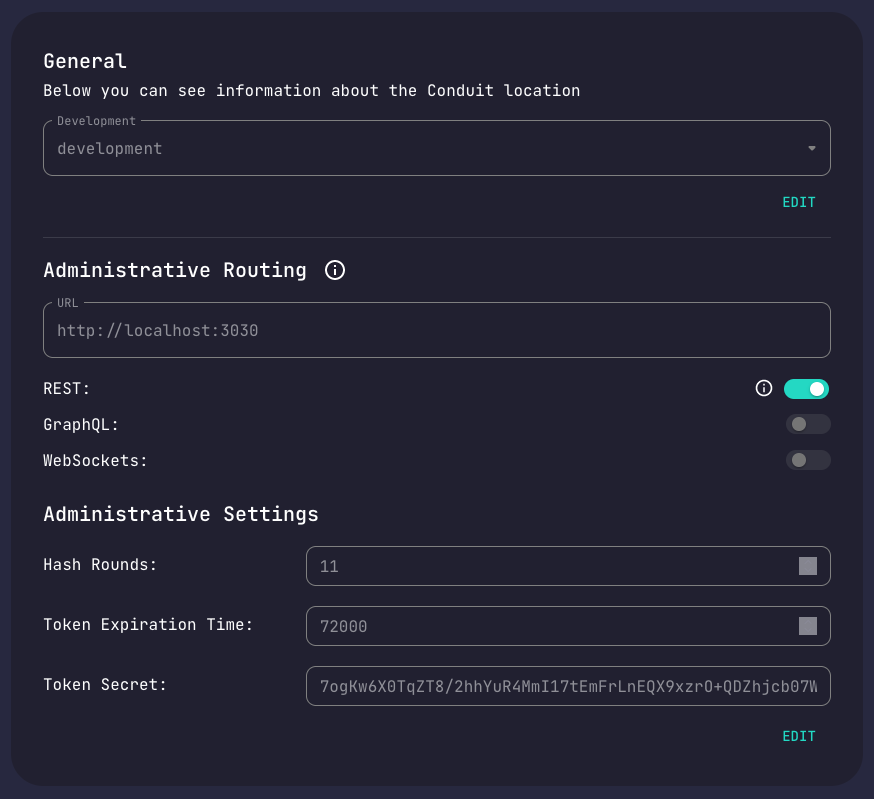
How Configuration Works
Conduit uses centralized configuration management:
- Core stores all module configurations in the Config service
- Modules retrieve their config on startup
- Changes propagate automatically when you update settings
Configuration Methods
| Method | Use Case |
|---|---|
| Admin Panel | Visual interface, recommended for most users |
| Admin REST API | Programmatic access, automation |
| Admin GraphQL API | Flexible queries for configuration |
Updating Configuration
- Navigate to the module's Settings tab
- Edit the configuration values
- Click Save
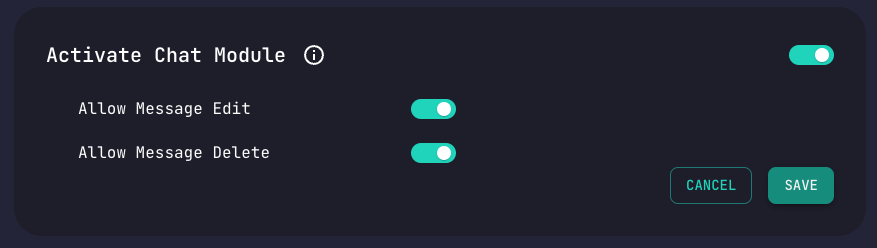
Changes take effect immediately.
Core Environment Variables
Core requires certain environment variables for startup:
| Name | Required | Description | Example |
|---|---|---|---|
REDIS_HOST | Yes | Redis host address | localhost |
REDIS_PORT | Yes | Redis port | 6379 |
ADMIN_HTTP_PORT | No | Admin REST/GraphQL port | 3030 |
ADMIN_SOCKET_PORT | No | Admin WebSocket port | 3031 |
GRPC_PORT | No | gRPC server port | 55152 |
MASTER_KEY | No | Admin request authorization secret | M4ST3RK3Y |
GRPC_KEY | No | gRPC signed request protection | someRandomSecret |
For a complete list of environment variables across all modules, see the Environment Variables Reference.
gRPC Request Protection
Optional security feature for module intercommunication:
- Modules sign outgoing and verify incoming gRPC calls
- Requires setting
GRPC_KEYon all instances - Does not encrypt requests (use network-level security)
- Should complement, not replace, network whitelisting
To enable, set the same GRPC_KEY value on every Core and module instance.