Magic Link Authentication
Magic Link provides passwordless authentication via email links.
How It Works
- User enters their email address
- Conduit sends a one-time login link
- User clicks link and is authenticated
- Link expires after use or timeout
Enable Magic Link
- Go to Admin Panel > Authentication > Settings
- Enable Magic Link
- Set Redirect URI (optional)
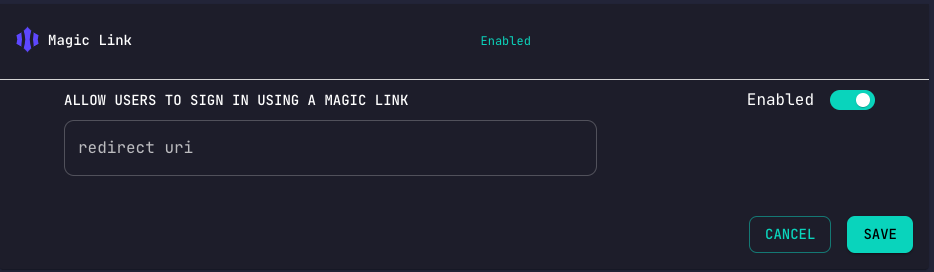
Configuration Options
| Setting | Description |
|---|---|
| Enabled | Turn magic link on/off |
| Redirect URI | Where to send users after login |
| Link Expiry | How long links remain valid |
API Usage
Request Magic Link
curl -X POST 'http://localhost:3000/authentication/magic-link' \
  -H 'Content-Type: application/json' \
  -d '{"email": "user@example.com"}'
Response:
{
  "message": "Magic link sent"
}
Verify Link
When user clicks the link:
GET /hook/authentication/magic-link/{token}
The user is automatically authenticated and redirected.
Frontend Integration
// Request magic link
async function requestMagicLink(email) {
  const response = await fetch('http://localhost:3000/authentication/magic-link', {
    method: 'POST',
    headers: { 'Content-Type': 'application/json' },
    body: JSON.stringify({ email })
  });
  return response.json();
}

// Handle callback (on redirect page)
const urlParams = new URLSearchParams(window.location.search);
const token = urlParams.get('token');
if (token) {
  // User is authenticated, store token
  localStorage.setItem('accessToken', token);
}
Security Considerations
- Links are single-use
- Configure appropriate expiry times
- Use HTTPS in production
- Consider rate limiting requests
Use Cases
- Low-friction sign-up flows
- Mobile-first applications
- Applications where users rarely log in
- Secondary authentication method